Medical Document Summaries
Scan a medical letter or results and get a plain-language summary of its purpose, key points, results and next steps, then ask follow-up questions. Free accounts can scan 2 documents every 7 days; Premium is unlimited.

 4.7 across 75 ratings
Understand the documents that shape your care
Medical letters and results can be hard to follow, especially when they were written for another healthcare professional. Advoca scans the text and turns it into simple and detailed summaries with the purpose, key points, results and next steps clearly separated. You can then ask questions using the document and the rest of your personal record. It helps you understand and prepare; discuss results and decisions with your clinician.
“Since these are letters written from one healthcare professional to another, they may contain medical terms that you do not understand.”
Start with the letter or results in front of you
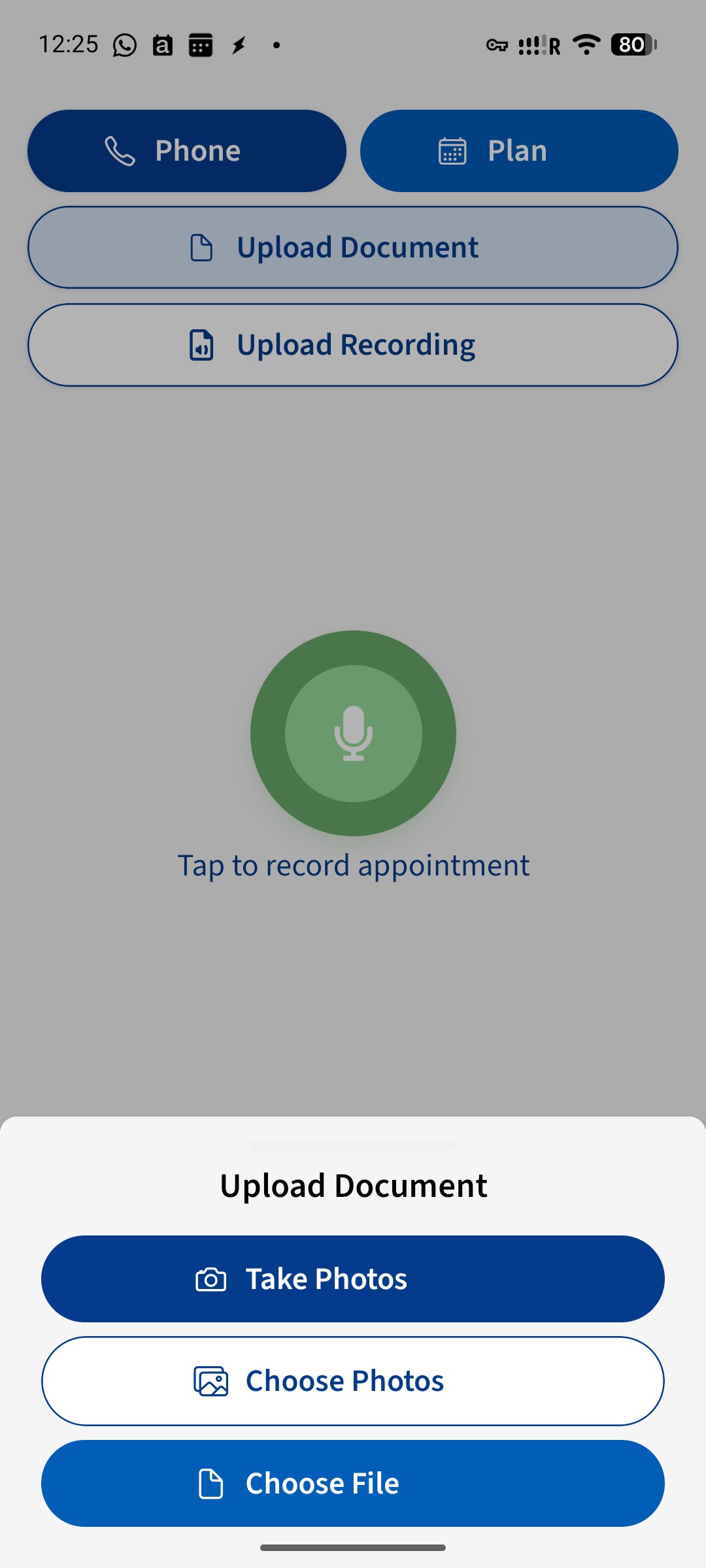
Take photos, choose pictures from your gallery or upload a PDF. Advoca works with clinic letters, discharge summaries, test and imaging results, your own notes and other clinical documents, so paper and digital records can live together.
- Use your camera, photo gallery or a PDF file — whichever is easiest for the document you have
- Bring letters, discharge notes, test results, imaging results and your own clinical notes into one record
Turn a dense document into a summary you can follow
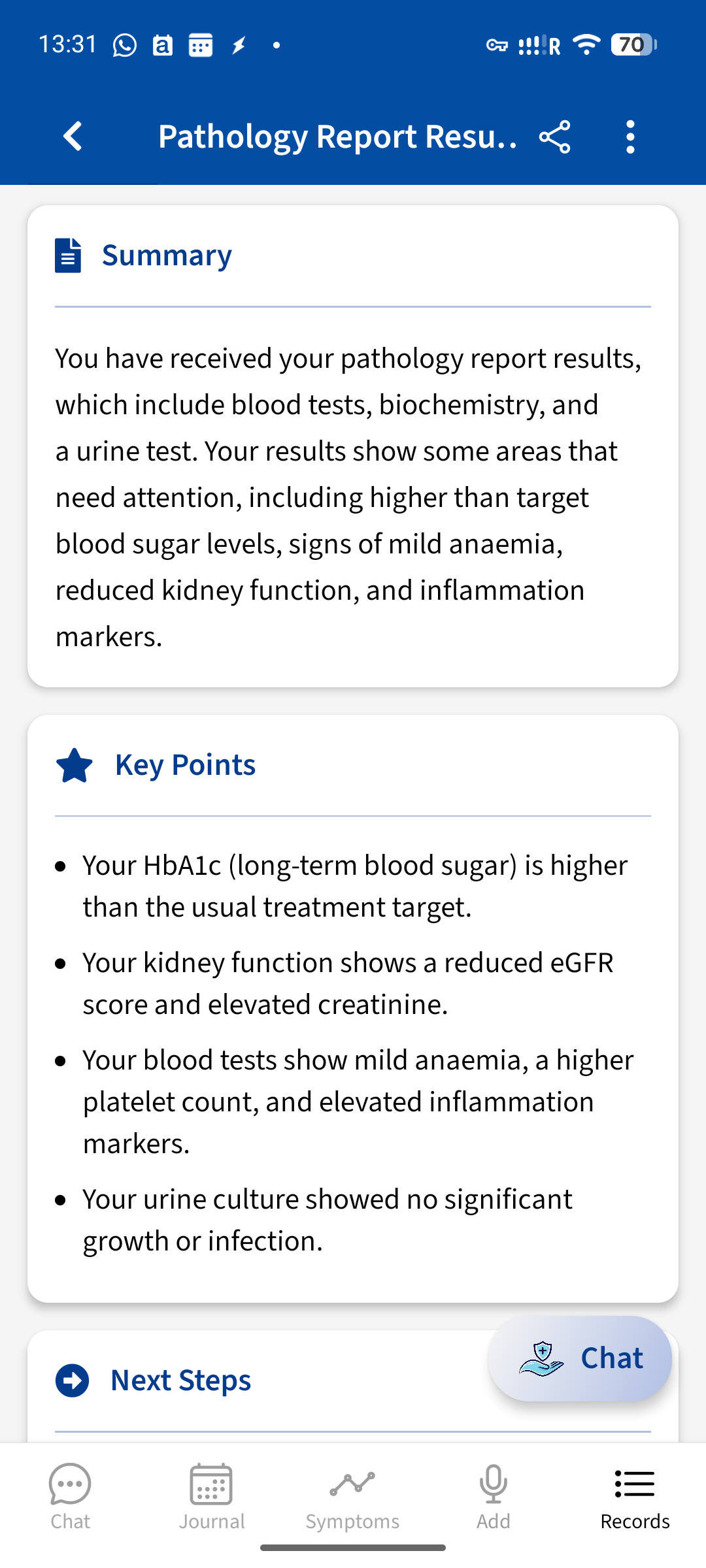
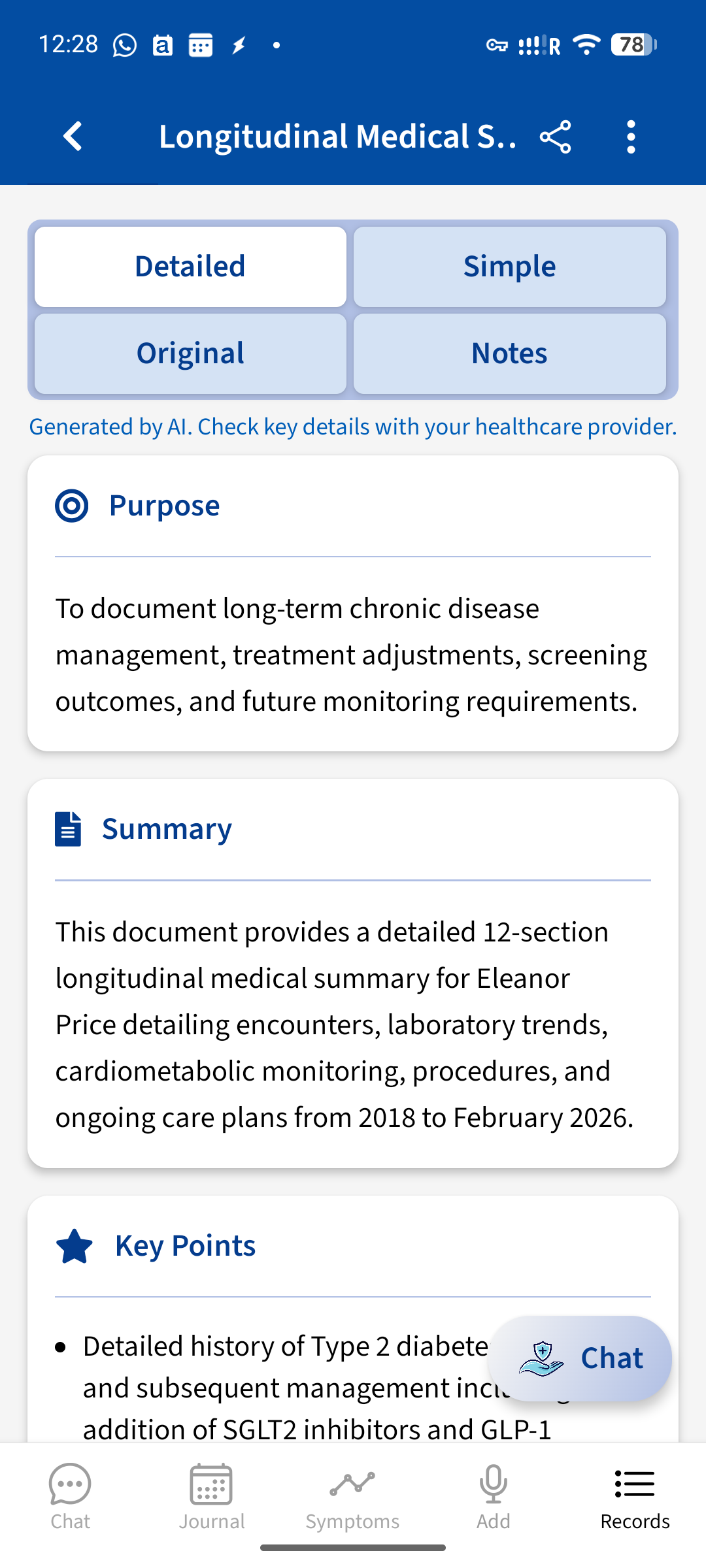
Advoca reads the scanned text and creates simple and detailed summaries. Purpose, summary, key points, results and next steps are separated clearly, so you can understand the document without searching through every page.
- Choose a simple or detailed view, depending on how much information you need
- Find the purpose, key points, results and next steps in clearly labelled sections
Keep documents with the rest of your health story
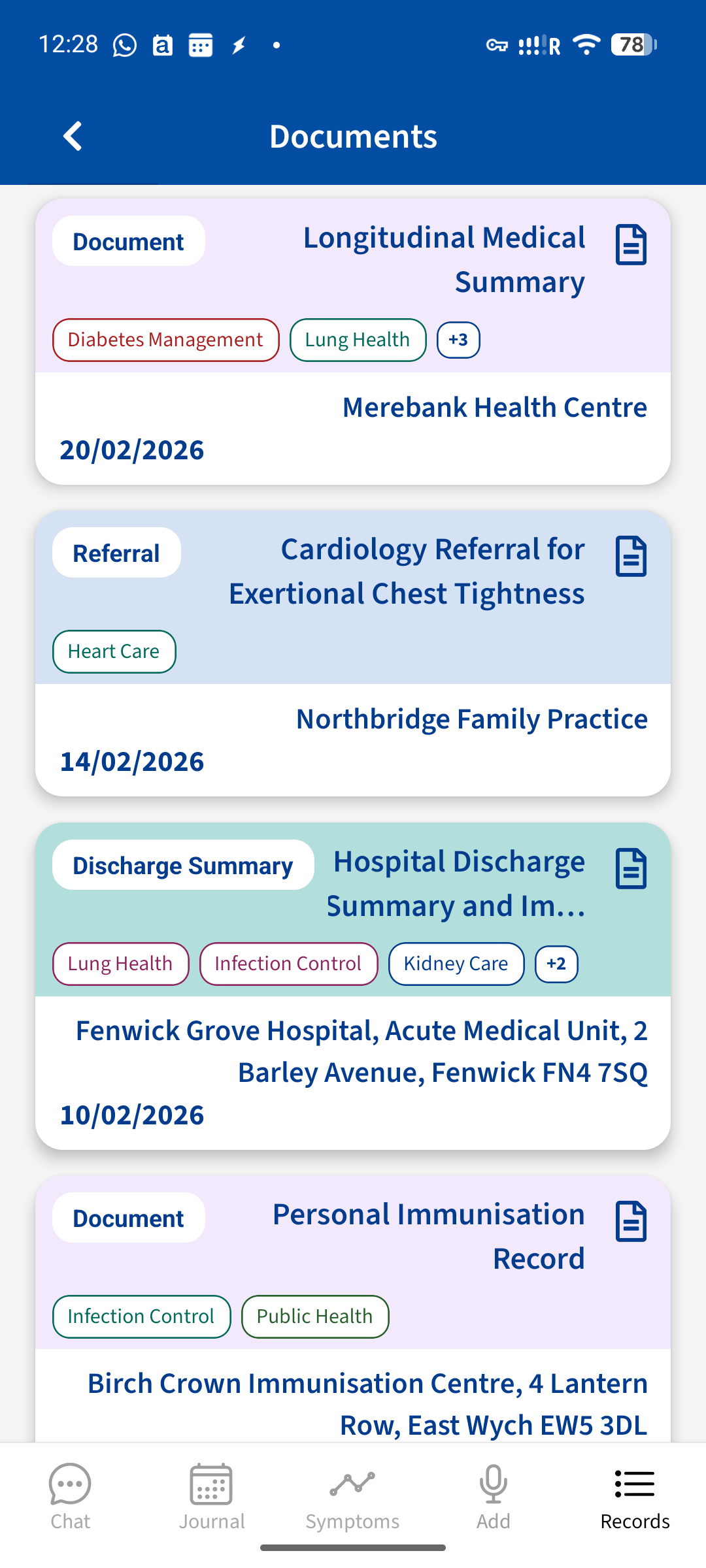
Your documents sit alongside your journal and appointment records. Chat can use both the summary and the original scanned text to explain what a letter says, answer follow-up questions and help you prepare what to discuss with your clinician.
- See documents organised by type, date and provider, rather than scattered across folders and messages
- Ask questions in the context of your documents, journal and appointments, or share a PDF of the summary
From a document to clear next questions
- 1Scan or uploadTake photos, choose pictures from your gallery or add a PDF. You can add the document date and notes for extra context.
- 2Get your summaryAdvoca reads the document and organises it into a simple or detailed summary with its purpose, key points, results and next steps.
- 3Ask or shareAsk follow-up questions about the document, then share a PDF of the summary with your doctor, family or carers if you choose.
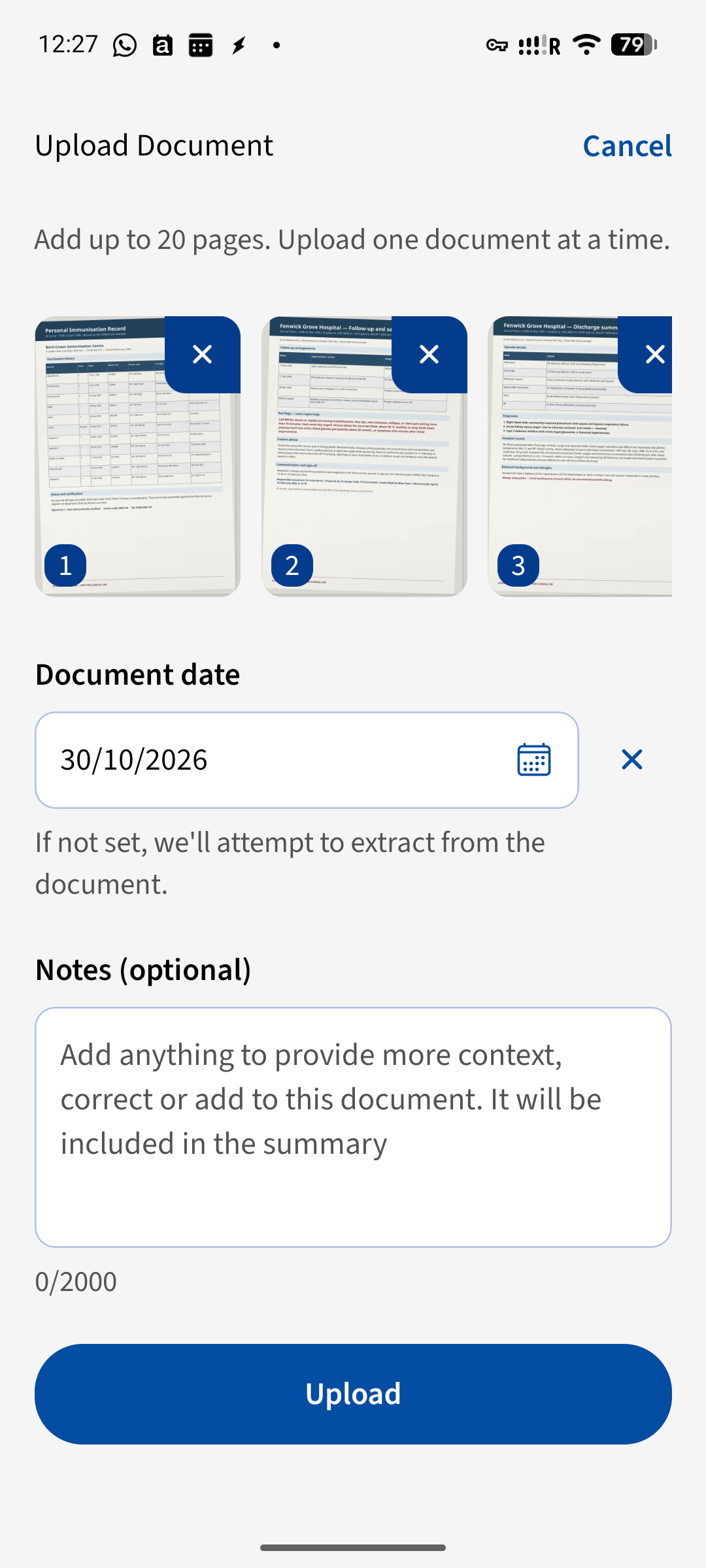
Step 1: review the pages, add a date or optional context, then upload the document.
Built for the documents that come with ongoing care
Keep the records that matter to your situation clear, organised and ready when you need them.
What people say about Advoca
…piecing together my medical journey and explaining it in a way that no other doctor has.
…making it much easier to organise your thoughts and turn them into useful records of how you’ve been feeling or what you’ve been experiencing.
It was clear and to the point, and easy to follow with helpful information and what I could possibly ask/say to the doctor.
What Advoca adds to the original document
Keep the original text, but add a clear way to understand it, question it and find it again.
| Advoca | Reading the document alone | |
|---|---|---|
| What you get | A simple or detailed summary with purpose, key points, results and next steps | The original pages, written for clinical communication |
| Follow-up questions | Ask about the document in the context of your wider personal record | Make a note and wait until you can ask someone |
| Your records | Documents, journal entries and appointments together | Letters and files kept in separate places |
| Sharing | A PDF summary you can choose to share | Photocopies, forwarded files or photos |
Your questions, answered
Is it free?
Yes. Free accounts can scan 2 documents every 7 days; Premium gives unlimited documents.
What documents can I scan?
You can scan clinic letters, discharge summaries, test results, imaging results, your own notes or any other clinical document. Take photos, choose photos from your gallery or upload a PDF.
Can I ask questions about my letter?
Yes. Chat can use the document summary and the original scanned text to explain it and answer follow-up questions alongside your journal and appointment records. Check important details with your clinician.
Can I share the summary?
Yes. You can share a PDF of the summary with your doctor, family or carers.
Is my document private?
Your health data is sensitive. Our privacy policy explains what information Advoca holds, why it is used and your choices.
Does a document summary replace my doctor?
No. Advoca helps you understand and organise a document and prepare questions. It does not diagnose, give medical advice or replace your clinician. Talk with your clinician to understand what results mean for you.
More ways Advoca helps you
Appointment Recording
Record a visit and get the key points, results and next steps in a clear summary.
Learn more →Chat
Ask follow-up questions in one conversation that already knows your personal health record.
Learn more →Trusted Answers
Get plain-language answers grounded in trusted medical sources, with citations you can check.
Learn more →Health Journal
Keep symptoms, medications, mood and results alongside your documents and appointments.
Learn more →Advoca helps you record, understand and organise your care. It is not a substitute for professional medical advice, and it does not diagnose conditions or make treatment decisions — always speak to a qualified healthcare professional.
Advoca's assistant transcribes, summarises and explains your health information, grounded in trusted medical sources and overseen by our clinical team. It does not diagnose or replace your doctor — and, like any AI, it can occasionally get things wrong, so we always show you the sources and full transcript behind its answers.
Become an expert on your own care.
Free to download, built by doctors, and private by design. Start in minutes.